CLI·EDGEDR listed

Edge Drop
edgedrop.app
Clipboard on your screen edge. Hover to open, drag to drop
Coding Agent CLI
 MCP Hub
Open-source Terminal UI, just record & get exhaustive tests
Free listing links are nofollow. Owners can unlock a permanent dofollow backlink.
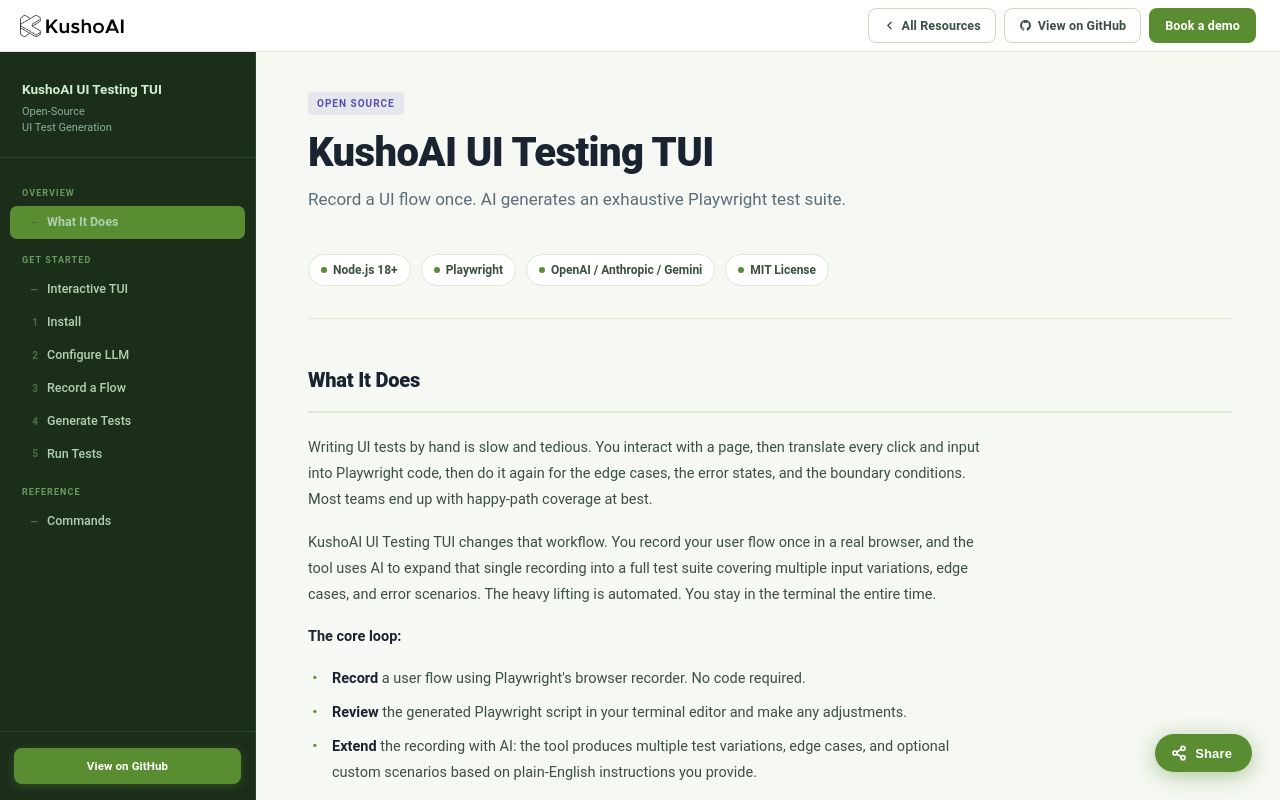
KushoAI for Playwright is an open-source terminal UI tool that simplifies automated testing by generating Playwright scripts through natural interaction. Designed for developers who prefer CLI workflows, it eliminates manual test scripting by recording user actions and converting them into production-ready code. With 94 Product Hunt upvotes and a focus on accessibility, this tool bridges the gap between manual testing and scalable automation.
Below, we explore its functionality, setup, ideal use cases, and alternatives—grounded in verified sources like its official documentation and Product Hunt launch.
KushoAI for Playwright is a coding agent CLI that automates UI test generation for Playwright, a popular browser automation framework. Instead of writing tests line by line, users:
Key features include:
- No-Code Test Creation: Ideal for developers who want to skip boilerplate scripting.
- Terminal-Centric Workflow: No GUI dependencies—runs entirely in the command line.
- Open-Source Flexibility: Hosted on GitHub, allowing customization and community contributions.
The tool targets efficiency, reducing the time spent on repetitive test maintenance. Its AI component suggests optimizations, like merging redundant steps or adding assertions.
As an open-source tool, KushoAI for Playwright requires:
- Node.js (version not specified in sources).
- Playwright as a peer dependency.
While exact install commands aren’t documented publicly, typical setup involves:
npm or yarn. The workflow follows three steps:
.spec.js files and execute them via Playwright. For advanced users, the tool allows manual tweaks to generated scripts. Documentation emphasizes compatibility with Playwright’s built-in reporters for test results.
KushoAI for Playwright suits scenarios where speed and minimal setup are prioritized:
- Generate tests during feature development without pausing to write scripts.
- Useful for startups iterating on MVP UIs.
- Convert manual QA workflows into automated suites.
- AI handles selector logic, reducing flakiness.
- Export tests directly into GitHub Actions or Jenkins pipelines.
- Combines with Playwright’s native cloud testing capabilities.
- Playwright’s multi-browser support extends to AI-generated tests.
Teams with limited QA resources benefit most, as the tool reduces reliance on specialized automation engineers.
When assessing KushoAI for Playwright against competitors, consider:
- Requires familiarity with Playwright but eliminates scripting overhead.
- Open-source nature allows modifying the AI’s output logic.
- Suited for small to mid-sized projects; enterprise use depends on Playwright’s limits.
- GitHub-driven development; no commercial support mentioned.
- Depends on Playwright’s execution speed; AI adds negligible overhead.
The Product Hunt score (94 votes) and niche focus (terminal + AI) differentiate it from GUI-heavy alternatives.
nofollow):
- Built-in recorder, but lacks AI optimization.
- GUI-based, with limited CLI integration.
- Commercial tool with AI, but cloud-dependent.
- Record-and-playback, but tied to Cypress ecosystem.
KushoAI’s terminal-first approach and open-source model make it unique for developers avoiding SaaS platforms.
Yes. It’s open-source (MIT License) with no pricing tiers mentioned.
Playwright supports multiple languages, but KushoAI’s outputs are JS/TS-centric.
Unspecified in docs, but likely uses NLP to map recordings to Playwright API calls.
Yes. The GitHub repository welcomes issues and pull requests.
No. The tool is explicitly designed for terminal workflows.
KushoAI for Playwright fills a niche for developers seeking lightweight, AI-assisted test automation without leaving the CLI. While newer than established players, its open-source foundation and Playwright integration offer a compelling balance of power and accessibility. For updates, monitor its GitHub repo or Product Hunt page.
Open-source Terminal UI, just record & get exhaustive tests
No verified install command is listed yet. Use the official project link or repository for setup instructions.
Open-source Terminal UI, just record & get exhaustive tests
No verified install command is listed yet. Use the official project link or repository for setup instructions.
edgedrop.app
Clipboard on your screen edge. Hover to open, drag to drop

openclix.ai
Agent-driven retention flows for mobile apps.

docs.firecrawl.dev
The complete web data toolkit for AI agents