
Browse Codex Pets
Discover custom pet packages for OpenAI Codex CLI and Claude Code. Copy install commands, browse community pets, and open source packages.
By murk
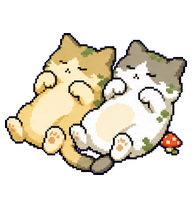
Two tiny cats belly-up together in warm sunlight, rolling and playing as a paired Codex pet.

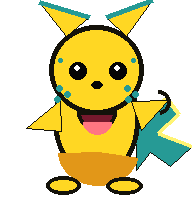
By aladen
An original cheerful yellow electric-spark Codex desktop pet.
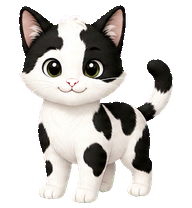
By Mewdex
A compact black-and-white cow-pattern cat pet with a sweet face and readable whole-body silhouette.
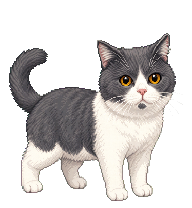

By shelven
A silver tabby cat pet with green eyes, a pink nose, white belly and paws, and bold charcoal swirl markings.

By voidsora
A smug white bunny wearing a yellow hard hat and speaking through a comic speech bubble.

By mrlnonai
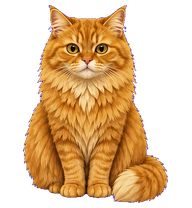
A morbidly obese orange cat with a deadpan royal attitude, adapted into a compact Codex digital pet.
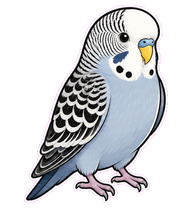
By Highrise
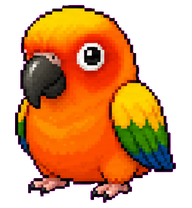
A compact gray budgie pet based on the provided reference photo, with a pale gray-blue body, white face, and dark scalloped wing markings.
What Are Codex Pets?
Codex pets are virtual companions that live in your OpenAI Codex CLI terminal. Use /pet hatch to hatch a new pet, or install a custom pet package to personalize your coding companion. Custom Codex pets are defined by a pet.json file and a spritesheet.webp image — anyone can create and share one. Browse the gallery above to find community-made pets, copy the install command, and run it inside Codex to get your new companion.
Frequently Asked Questions
- How do I install a custom Codex pet?
- Copy the install command from any pet listing on this page, then run it inside your OpenAI Codex CLI session. The pet will replace your current companion.
- How do I hatch a Codex pet?
- Inside the Codex CLI, type /pet hatch to hatch a new pet from your available packages.
- How do I create a custom Codex pet?
- A Codex pet requires two files: pet.json (metadata and animation config) and spritesheet.webp (sprite frames). Host both in a public GitHub repo and submit it here for review.
- What do Codex pets do?
- Codex pets are animated companions visible in the Codex CLI sidebar. They grow, animate, and react as you code.