
Browse Codex Pets
Discover custom pet packages for OpenAI Codex CLI and Claude Code. Copy install commands, browse community pets, and open source packages.


By LMF
A realistic animated IU-inspired concert pet with wearable stage-light motifs and authentic live-performance gestures.

By DrXeno
A silver-haired chibi companion carrying coffee through Codex tasks.
By DerpOtron9k
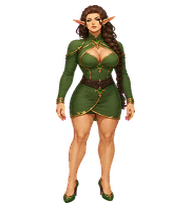
An upgraded regal corrupted elf matriarch with expressive grounded motion and a cold luminous gaze.

By sudolabel
A tiny pixel-art Kumiko companion with warm amber eyes, fluffy chestnut hair, and her blue-and-white summer uniform.

By epicvoxel
A charming, observant coding companion inspired by Patrick Jane: clever, composed, playful, and ready with a knowing smirk, a cup of tea, or a clue to inspect.



By Chien
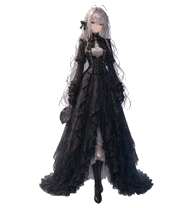
My original character, Rosenoa Chronorouge—an elegant gothic rose lady in a crimson-and-black dress with lace and clockwork details. 私のオリジナルキャラクター「ロゼノア・クロノルージュ」。深紅と黒のドレスをまとい、レースや時計仕掛けの装飾が特徴の上品なゴシックローズの令嬢です。

What Are Codex Pets?
Codex pets are virtual companions that live in your OpenAI Codex CLI terminal. Use /pet hatch to hatch a new pet, or install a custom pet package to personalize your coding companion. Custom Codex pets are defined by a pet.json file and a spritesheet.webp image — anyone can create and share one. Browse the gallery above to find community-made pets, copy the install command, and run it inside Codex to get your new companion.
Frequently Asked Questions
- How do I install a custom Codex pet?
- Copy the install command from any pet listing on this page, then run it inside your OpenAI Codex CLI session. The pet will replace your current companion.
- How do I hatch a Codex pet?
- Inside the Codex CLI, type /pet hatch to hatch a new pet from your available packages.
- How do I create a custom Codex pet?
- A Codex pet requires two files: pet.json (metadata and animation config) and spritesheet.webp (sprite frames). Host both in a public GitHub repo and submit it here for review.
- What do Codex pets do?
- Codex pets are animated companions visible in the Codex CLI sidebar. They grow, animate, and react as you code.