
Browse Codex Pets
Discover custom pet packages for OpenAI Codex CLI and Claude Code. Copy install commands, browse community pets, and open source packages.
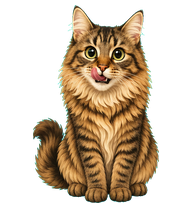
By zzzzfffan
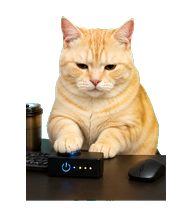
A cute animated cat based on a fluffy brown tabby cat with big round eyes, tufted ears, a pale muzzle and chest, and a playful treat-seeking expression.

By Icarus_Alpha
A chibi Ikaros desktop pet inspired by Heaven's Lost Property: pink hair, white mechanical outfit, collar and wings; green-eyed watermelon-hugging low flight for left/right movement, red-eyed empty-handed execution, green-eyed thoughtful review, and 16 looking directions.


By roona
A softer-eyed variant of Miki, keeping the same stylish blue beret-and-brush design but with lighter sky-blue eyes and gentler eyebrows in Codex pixel-pet style.

By obamascar
Oscar is a plush gray cat companion with amber eyes, rounded cheeks, a subtly pointed chin, and a quietly focused coding-buddy presence.
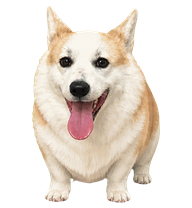
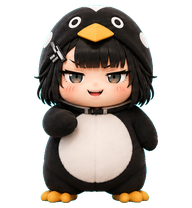
By Jessica
A sharp-eyed cream-and-gold corgi companion with a real-dog grin, steady work focus, and a dry playful streak.
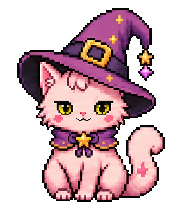


By andotorg
An original yellow-headed blue-sweater Codex pet that thinks with a hand on its chin, looks smug with crossed arms after work, and occasionally picks its nose.

What Are Codex Pets?
Codex pets are virtual companions that live in your OpenAI Codex CLI terminal. Use /pet hatch to hatch a new pet, or install a custom pet package to personalize your coding companion. Custom Codex pets are defined by a pet.json file and a spritesheet.webp image — anyone can create and share one. Browse the gallery above to find community-made pets, copy the install command, and run it inside Codex to get your new companion.
Frequently Asked Questions
- How do I install a custom Codex pet?
- Copy the install command from any pet listing on this page, then run it inside your OpenAI Codex CLI session. The pet will replace your current companion.
- How do I hatch a Codex pet?
- Inside the Codex CLI, type /pet hatch to hatch a new pet from your available packages.
- How do I create a custom Codex pet?
- A Codex pet requires two files: pet.json (metadata and animation config) and spritesheet.webp (sprite frames). Host both in a public GitHub repo and submit it here for review.
- What do Codex pets do?
- Codex pets are animated companions visible in the Codex CLI sidebar. They grow, animate, and react as you code.