
Browse Codex Pets
Discover custom pet packages for OpenAI Codex CLI and Claude Code. Copy install commands, browse community pets, and open source packages.

By yova
Un cuy adorable tipo dev, listo para acompanarte mientras programas.

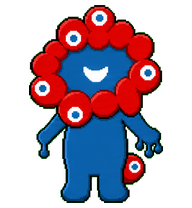
By fumi
A second Myaku Codex pet variant that keeps the current base and shifts review toward problem-to-idea storytelling.

By win
A tiny white lucky-cat desktop pet inspired by Turbo Granny's cat form, with sleepy lashes, red ears, collar bell, and gold belly charm.
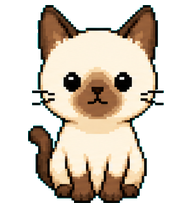
By znary
A compact Siamese pixel cat Codex pet with blinking, running, waiting, review, and failure animations.

By majia
A cute Liverpool-inspired Liver bird coding companion for Codex with a tiny LFC badge.

By stupig
Prototype-based Codex pet with wing flaps and keyboard actions.
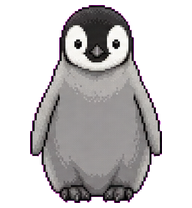
By Penguin
A Codex pet version of Emperor Penguin Chick.
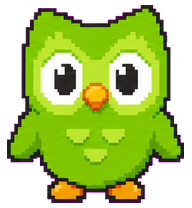
By xyu23gsb
A compact green owl language coach pet in Codex digital pet style.
By zzero
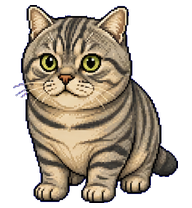
A realistic silver tabby cat pet based on the provided cat photos.
What Are Codex Pets?
Codex pets are virtual companions that live in your OpenAI Codex CLI terminal. Use /pet hatch to hatch a new pet, or install a custom pet package to personalize your coding companion. Custom Codex pets are defined by a pet.json file and a spritesheet.webp image — anyone can create and share one. Browse the gallery above to find community-made pets, copy the install command, and run it inside Codex to get your new companion.
Frequently Asked Questions
- How do I install a custom Codex pet?
- Copy the install command from any pet listing on this page, then run it inside your OpenAI Codex CLI session. The pet will replace your current companion.
- How do I hatch a Codex pet?
- Inside the Codex CLI, type /pet hatch to hatch a new pet from your available packages.
- How do I create a custom Codex pet?
- A Codex pet requires two files: pet.json (metadata and animation config) and spritesheet.webp (sprite frames). Host both in a public GitHub repo and submit it here for review.
- What do Codex pets do?
- Codex pets are animated companions visible in the Codex CLI sidebar. They grow, animate, and react as you code.