
Browse Codex Pets
Discover custom pet packages for OpenAI Codex CLI and Claude Code. Copy install commands, browse community pets, and open source packages.
By springtiger07
미유와 히나의 자매로, 밤색 단발머리와 라벤더·아이보리 세라복, 붉어진 볼과 수줍은 표정이 특징인 치비 만화풍 펫.
By springtiger07
짙은 남청색 단발과 밀짚 버킷햇, 여러 세로 플리츠가 있는 짧은 민트색 민소매 원피스를 입은 밝고 여유로운 치비 펫.
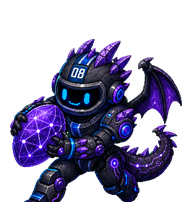
By craigstfn
A cyber robot dragon with purple crystal energy, built from the provided Scrumvault spritesheet.

【非官方】诡秘之主克喵桌宠,用网上找到的表情包制作的,虽然感觉还不太到位,但是献祭了我一周的codex额度就这样吧哈哈哈哈啊

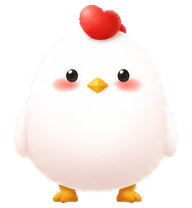
![[线条小狗] 小鸡毛 preview](https://file.aimcp.info/codex-pets/codex-pet-6dc1c3c8/poster.webp)
What Are Codex Pets?
Codex pets are virtual companions that live in your OpenAI Codex CLI terminal. Use /pet hatch to hatch a new pet, or install a custom pet package to personalize your coding companion. Custom Codex pets are defined by a pet.json file and a spritesheet.webp image — anyone can create and share one. Browse the gallery above to find community-made pets, copy the install command, and run it inside Codex to get your new companion.
Frequently Asked Questions
- How do I install a custom Codex pet?
- Copy the install command from any pet listing on this page, then run it inside your OpenAI Codex CLI session. The pet will replace your current companion.
- How do I hatch a Codex pet?
- Inside the Codex CLI, type /pet hatch to hatch a new pet from your available packages.
- How do I create a custom Codex pet?
- A Codex pet requires two files: pet.json (metadata and animation config) and spritesheet.webp (sprite frames). Host both in a public GitHub repo and submit it here for review.
- What do Codex pets do?
- Codex pets are animated companions visible in the Codex CLI sidebar. They grow, animate, and react as you code.