
Browse Codex Pets
Discover custom pet packages for OpenAI Codex CLI and Claude Code. Copy install commands, browse community pets, and open source packages.
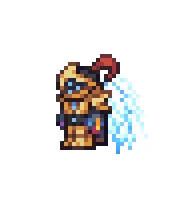
By Starwillow
A custom pixel pet assembled from transparent Auric Tesla armor animation frames.






By erroraz
A front-facing Knight Rider-inspired low-profile black Pontiac Trans Am pet with an animated red scanner light.


By vzziix
A pixel-art pink blob creature with big round eyes, small red horns, and purple limbs.

By ataris
A faithful tiny Codex companion based on the white-shirt VTS reference images.

By qingqiu
A squat meme-style Codex pet whose seated idle and tiny laptop work poses show task status.
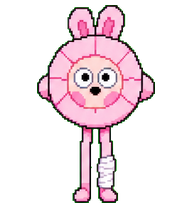
By vzziix
A pink pixel-art bunny wearing a flower costume with long legs and a bandaged foot.
What Are Codex Pets?
Codex pets are virtual companions that live in your OpenAI Codex CLI terminal. Use /pet hatch to hatch a new pet, or install a custom pet package to personalize your coding companion. Custom Codex pets are defined by a pet.json file and a spritesheet.webp image — anyone can create and share one. Browse the gallery above to find community-made pets, copy the install command, and run it inside Codex to get your new companion.
Frequently Asked Questions
- How do I install a custom Codex pet?
- Copy the install command from any pet listing on this page, then run it inside your OpenAI Codex CLI session. The pet will replace your current companion.
- How do I hatch a Codex pet?
- Inside the Codex CLI, type /pet hatch to hatch a new pet from your available packages.
- How do I create a custom Codex pet?
- A Codex pet requires two files: pet.json (metadata and animation config) and spritesheet.webp (sprite frames). Host both in a public GitHub repo and submit it here for review.
- What do Codex pets do?
- Codex pets are animated companions visible in the Codex CLI sidebar. They grow, animate, and react as you code.