
Browse Codex Pets
Discover custom pet packages for OpenAI Codex CLI and Claude Code. Copy install commands, browse community pets, and open source packages.

By maxg24
A compact chibi Codex digital pet caricature of Kylian Mbappe as an exaggerated meme-style little ruler.

By RogueRonin
A chibi pirate-idol coding companion with auburn twin tails, a navy captain hat, red ribbons, gold trim, and an eyepatch charm.


By maxg24
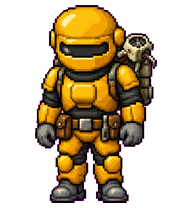
A tiny pixel-art Napoleon Dynamite digital pet wearing the Vote for Pedro shirt.




By surroundyou
A photorealistic miniature desktop companion in an oversized white button-up shirt, inspired by the provided reference.



What Are Codex Pets?
Codex pets are virtual companions that live in your OpenAI Codex CLI terminal. Use /pet hatch to hatch a new pet, or install a custom pet package to personalize your coding companion. Custom Codex pets are defined by a pet.json file and a spritesheet.webp image — anyone can create and share one. Browse the gallery above to find community-made pets, copy the install command, and run it inside Codex to get your new companion.
Frequently Asked Questions
- How do I install a custom Codex pet?
- Copy the install command from any pet listing on this page, then run it inside your OpenAI Codex CLI session. The pet will replace your current companion.
- How do I hatch a Codex pet?
- Inside the Codex CLI, type /pet hatch to hatch a new pet from your available packages.
- How do I create a custom Codex pet?
- A Codex pet requires two files: pet.json (metadata and animation config) and spritesheet.webp (sprite frames). Host both in a public GitHub repo and submit it here for review.
- What do Codex pets do?
- Codex pets are animated companions visible in the Codex CLI sidebar. They grow, animate, and react as you code.